
Call of Duty: Mobile key mapping on this page starts from a phone you already own. The Android app stays on the phone, the picture is mirrored to Windows, and you line the touch buttons up with keys. Warzone and the PC Call of Duty games are different titles. MirrorPlayer does not edit game files and does not aim for you. Frame rate and bitrate are in 120 FPS low-latency settings.
Two computer paths, then this one
On the global game, Activision’s help center says emulators are not officially supported, and a player using an emulator is matched with other players using an emulator. On the Chinese game, Tencent publishes an HD emulator with its own keyboard and mouse support and a match pool separate from phones. A phone player who parties with someone on that HD emulator enters that pool with them.
This page is the remaining case: the mobile app is already running on an Android phone.
What the publisher has published
Chinese security notes say that using a keyboard and mouse to skip matchmaking isolation and enter a phone lobby is punished. The published penalties include ranked restrictions, matchmaking restrictions, leaderboard removal, and account bans. Penalty notices also group emulator or peripheral detection bypass with third-party assists. This page does not explain how a lobby is classified, does not describe how to stay in the phone pool, and does not discuss detection.
Activision’s security policy covers unsupported peripherals and applications used to cheat. The examples named there are modded controllers, IP flooders, and lag switches. That sentence does not name a keyboard or a mouse. Esports rules are a separate document: a tournament device may not add an external keyboard, mouse, or controller without the administration’s consent. Some regional support posts also tell players to avoid programs that play or control the game, and to avoid devices other than phones and tablets.
Read the notice in the client you play before a match. Line the keys up in the training range. This page does not set up mouse macros or auto-clickers.
Connection steps stay in the device connection guide. This article does not repeat them, and it does not install the HD emulator or any other emulator.
HD emulator, other emulators, phone mirror
| Path | What it is |
|---|---|
| Chinese HD emulator | The publisher’s computer entry for that region, with its own keyboard and mouse support and a match pool separate from phones |
| Other emulators | Activision’s help center says they are not officially supported, and emulator players are matched with emulator players |
| Phone mirror | The game and the account stay on the phone. The PC shows the screen. That does not place a keyboard and mouse into the phone match pool |
The longer comparison is Play Android games on PC without an emulator.
Start from the Call of Duty example
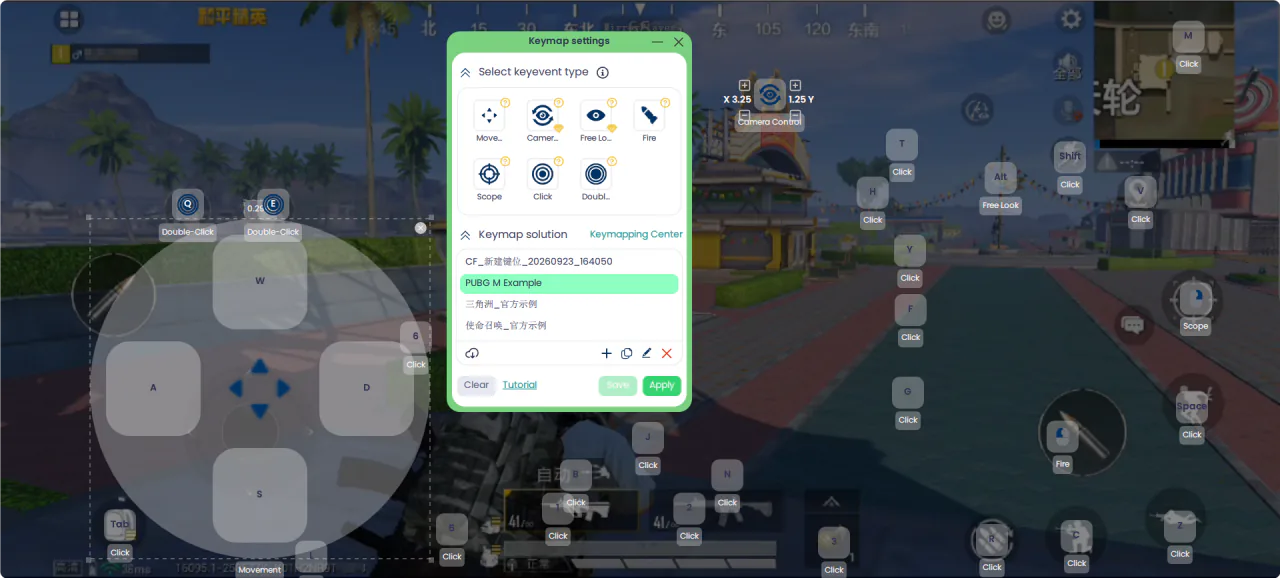
Connect the phone, open the game, then press Ctrl+K or the Key mapping button. In the profile list, start from 使命召唤_官方示例. The name may appear in Chinese. It is a starting point. If your HUD scale moved a button, drag the marker onto the real control.
The types in the editor are Move, Camera, Free Look, Fire (left mouse button), Scope (right mouse button), Click, and Double-click. This page does not list a default key for every marker in that profile. The labels on your screen are the source. Save, then Apply. Press ~ to turn mapping on. The desktop cursor hides while mapping is on.
Click-by-click editing is in Scrcpy alternative with visual key mapping and the key mapping guide. The screenshot below is the mapping window. It is not a picture of the Call of Duty: Mobile HUD.
A walking layout you place yourself
Build this layout yourself. It is a suggestion for where each type goes. It is not a key list stored in the example profile.
| Control | Where it goes |
|---|---|
| Move | Left stick. WASD is the usual binding |
| Camera | Look, so the body turns with the mouse |
| Fire | The fire button. Left mouse button. A left-click stays fire |
| Scope | Aim down sights. Right mouse button |
| Click | Jump, crouch, prone, reload, melee, weapon switch, the lethal grenade, the tactical grenade, the operator skill, and the scorestreak |
| Free Look | The area where you hold a key and move the mouse while the body stays put |
If a slide is crouch during a sprint, bind that crouch Click. Do not add a second macro for the slide. If peek is a hold button, bind it as a held Click.
COD Mobile multiplayer key mapping and COD Mobile Battle Royale controls can share one profile when the buttons sit in the same places. If a mode draws them somewhere else, copy the profile and drag again. MirrorPlayer does not switch profiles when the mode changes.
Grenades, the operator skill, and scorestreaks
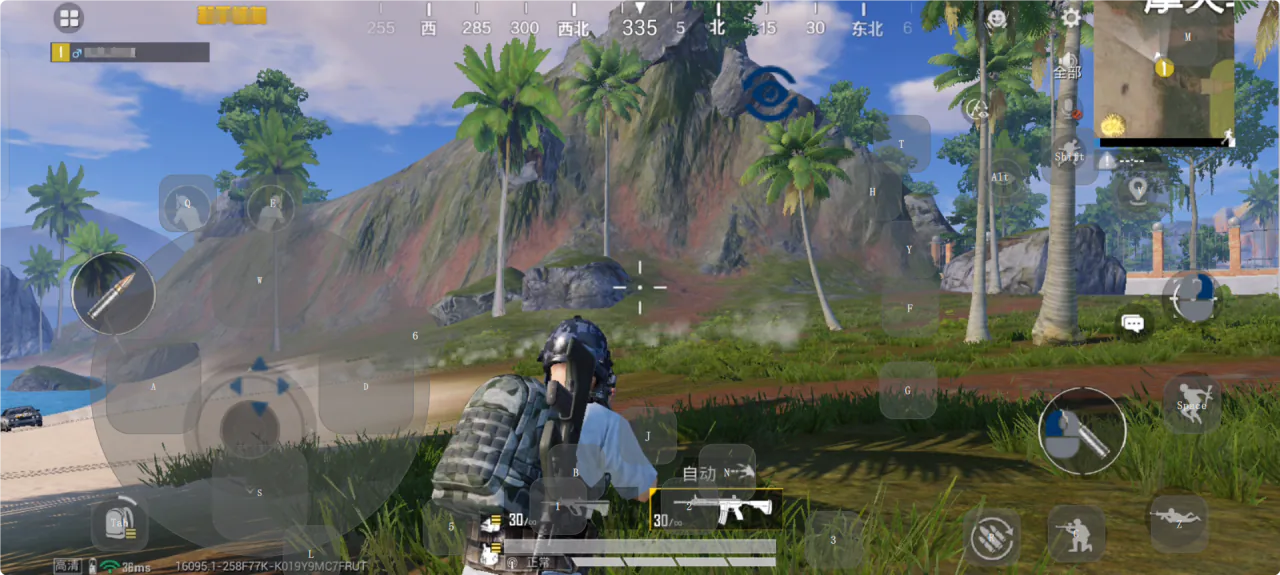
These are ordinary buttons. Place a Click on each one you see: lethal, tactical, the operator skill, and the scorestreak. A COD Mobile scorestreak key bind presses the button on the HUD. Which streaks you carry is chosen in the lobby. The key is not a fixed list of streaks.
Fire mode and sensitivity inside the game
If the client still has a fire mode that shoots when an enemy sits under the crosshair, use the mode where only the fire button shoots. Turn the gyroscope off when you want the mouse to be the only look input. If aim-down-sights sensitivity has its own slider, change one slider at a time. These are Call of Duty: Mobile settings, not MirrorPlayer switches. The order is in FPS key mapping setup.
Battle Royale vehicles
A vehicle uses another stick. Save a second profile and place Move on the driving control. Apply the vehicle profile when you take a seat, and apply the walking profile when you get out. This page has no one-key switch between the two.
The other named example profile is Delta Force mobile keyboard and mouse. The page for a raid backpack is Arena Breakout keyboard and mouse. The extra buttons on this page are the grenades, the operator skill, and the scorestreak.
FAQ
Is this Warzone or PC Call of Duty?
Warzone and the PC Call of Duty games are separate titles. This page is about the Android app, shown on a Windows monitor.
What is the Chinese HD emulator?
It is Tencent’s computer entry for the Chinese game, with its own keyboard and mouse support and a match pool separate from phones. This page does not install it.
Will this get the account banned?
Chinese notices punish using a keyboard and mouse to skip matchmaking isolation and enter a phone lobby. Activision’s security policy names modded controllers, IP flooders, and lag switches as cheat peripherals, and that sentence does not name a keyboard or a mouse. This page does not answer that the account is safe, and it does not discuss detection. Check the current notice for your region.
The example profile misses my buttons
Drag each marker onto the button you see. HUD scale and a later game update both move them. Save after you drag.
Do Multiplayer and Battle Royale need two profiles?
Use one profile when the buttons match. Copy it when a mode draws them somewhere else.
How do I bind a slide?
If the slide is crouch during a sprint, use the crouch Click. A second macro is a different feature, and this page does not set one up.
Which key is the scorestreak?
Whichever key you place on the scorestreak button. The lobby decides which streaks that button can call.
How is this different from a scrcpy keymap file?
You drag markers on the live picture. You do not edit coordinates in a text file. The comparison is in Scrcpy alternative with visual key mapping.
Where to go next
Read the notice, open 使命召唤_官方示例, drag what does not line up, and try the grenade and scorestreak buttons in training. Latency settings are in 120 FPS low-latency settings.