Game for Peace is the China client. The publisher’s keyboard path there is the official HD emulator, with its own key settings and a separate match pool. This page is the other case: the game is already on an Android phone, the picture is mirrored to Windows, and you start from 和平精英_官方示例. The name may appear in Chinese.
Players outside China looking for PUBG Mobile are on a different client. That page is PUBG Mobile keyboard and mouse.
Notices for Game for Peace put peripherals and emulators in their own match pool. A squad with an emulator player enters that pool. Bypassing the pool, mouse macros, and auto-clickers are punished, up to a very long ban and a rank reset. This page does not discuss detection, and it does not install the HD emulator. Line the keys up in training. Connection steps stay in the device connection guide.
Press Ctrl+K, open 和平精英_官方示例, and drag any marker that misses its button. Save, Apply, then press ~. The eye button, the one that looks around while the body stays put, uses Free Look. Peek, medicine, scope level, reload, and interact use Click. A vehicle needs a second profile, with Move on the driving stick. The shared shooter layout is in FPS key mapping setup. Click-by-click editing is in Scrcpy alternative with visual key mapping.
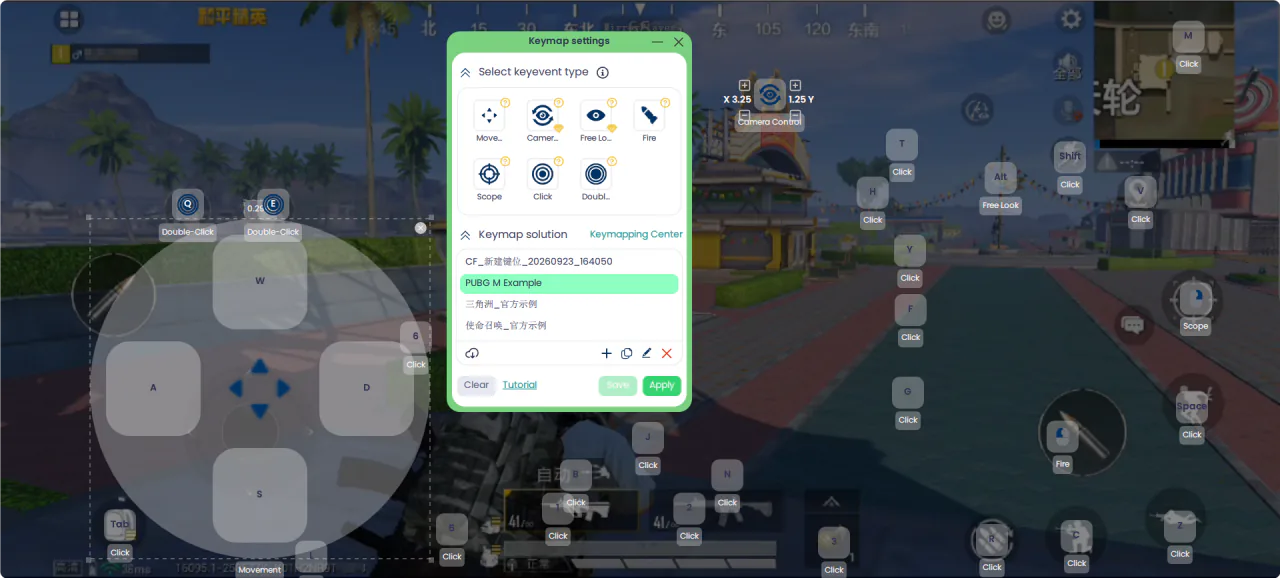
The screenshot is a Game for Peace match. The keymap panel in the picture is in English. The profile name on your screen is the one to trust.