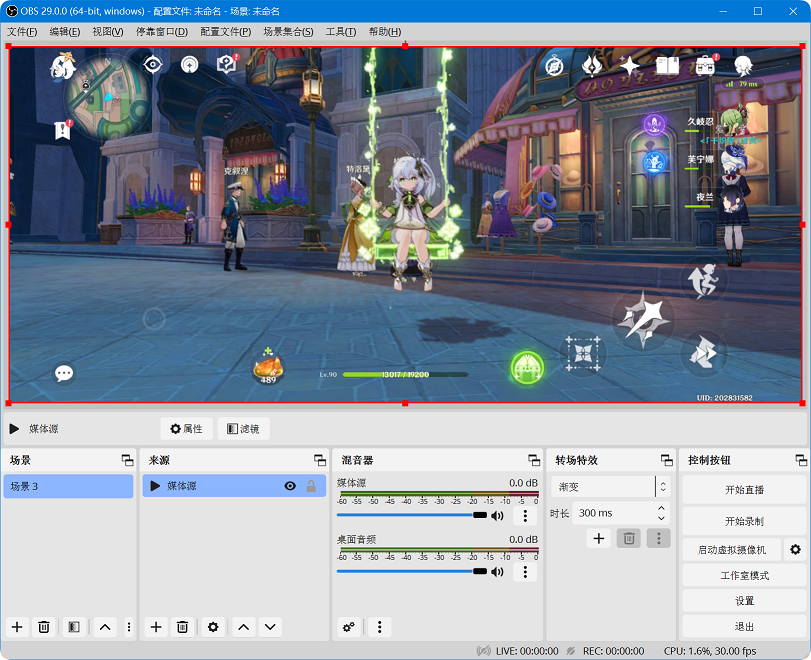
Cast to OBS
4.1 Connect Device to PC
4.1.1 Connect phone and PC with USB until obsmatePro shows the Device list with your device name or serial.
4.1.2 Click Start next to the device to launch the casting service.
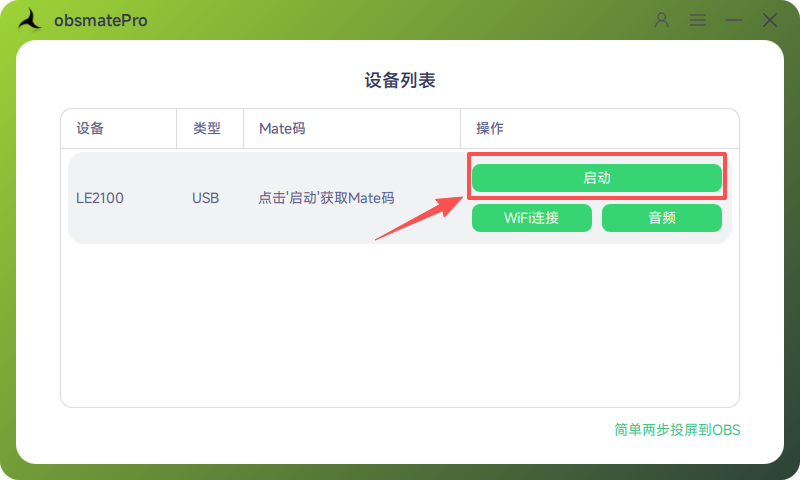
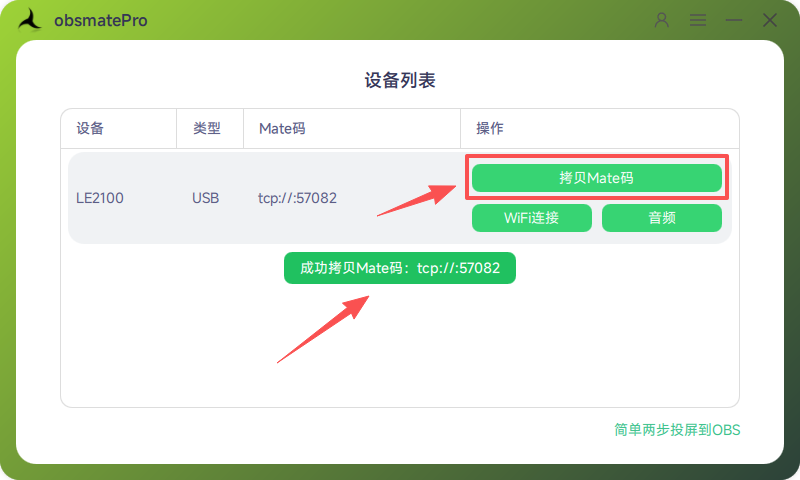
4.1.3 When the service starts, the Mate code appears. The Start button becomes Copy Mate code—click it to copy.
4.2 Cast in OBS
4.2.1 Open OBS, create a Scene, then add a Media Source under Sources.
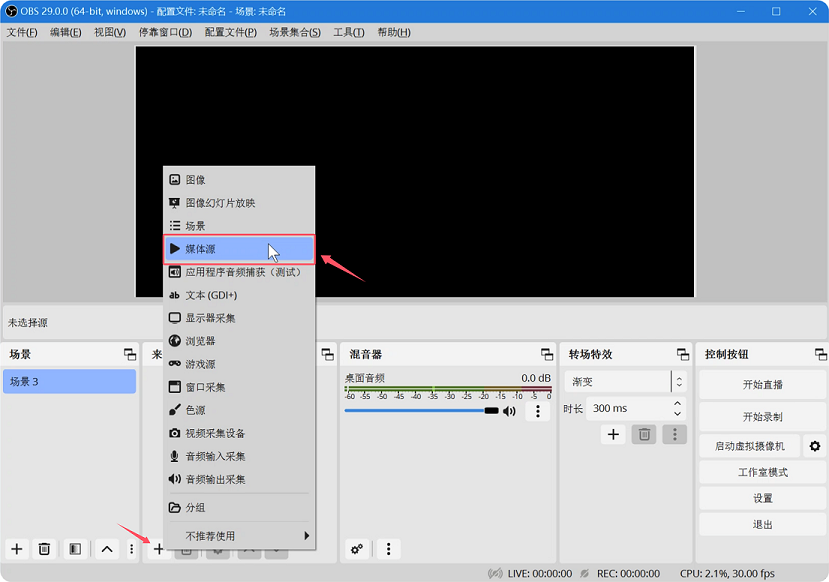
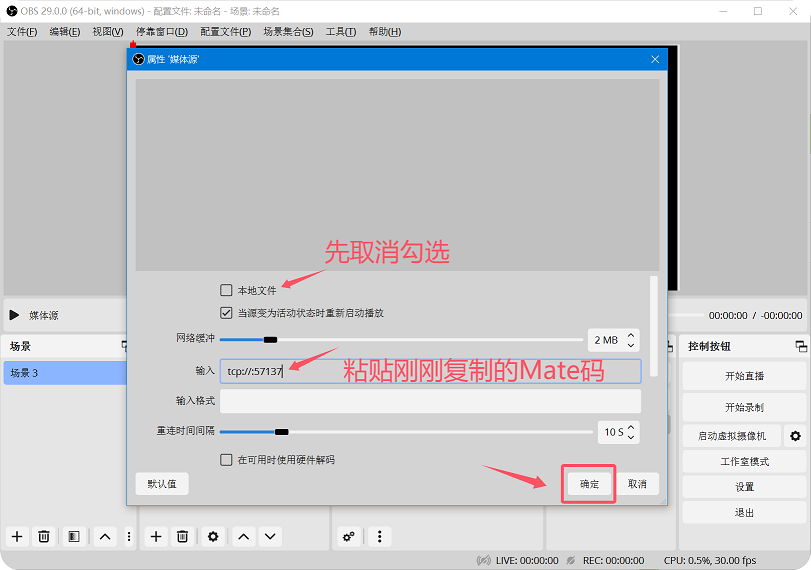
4.2.2 In Media Source properties, uncheck Local file, paste the Mate code in Input, then click OK.
4.2.3 Swipe or scroll on the phone screen—the picture should appear in OBS.