
Latency Issues
3.1 High Latency
Issue: Noticeable delay when mirroring.
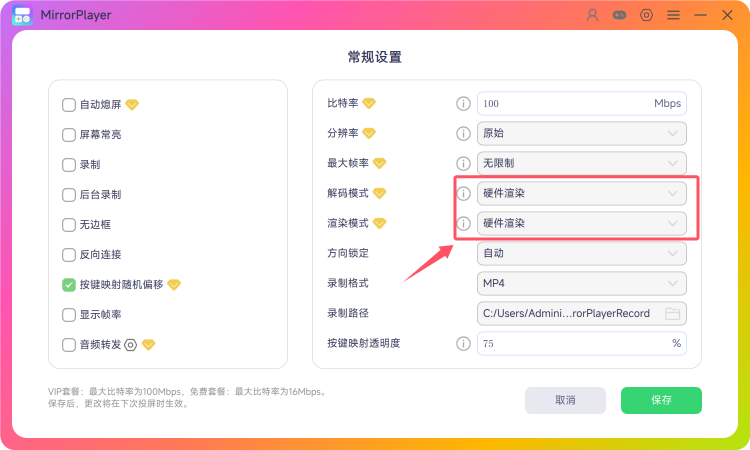
Solution: Use USB mirroring. In settings, choose Hardware decode + Hardware render for best performance (lowest latency).
Note: Settings apply on the next mirroring session after save.
3.2 Hardware Acceleration
Issue: How to verify hardware acceleration is active?
Solution: While mirroring, open Windows Task Manager → Performance → GPU → find Video Decode (use the dropdown if needed).
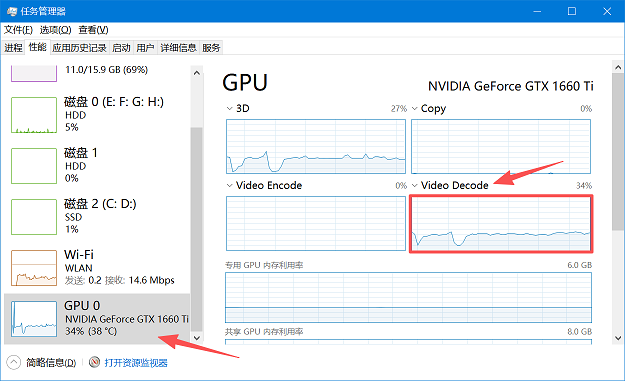
- If Video Decode shows activity (red box in the screenshot), hardware acceleration is working.